The three steps
Every sacrament has three steps: a request, a register entry, then a certificate.
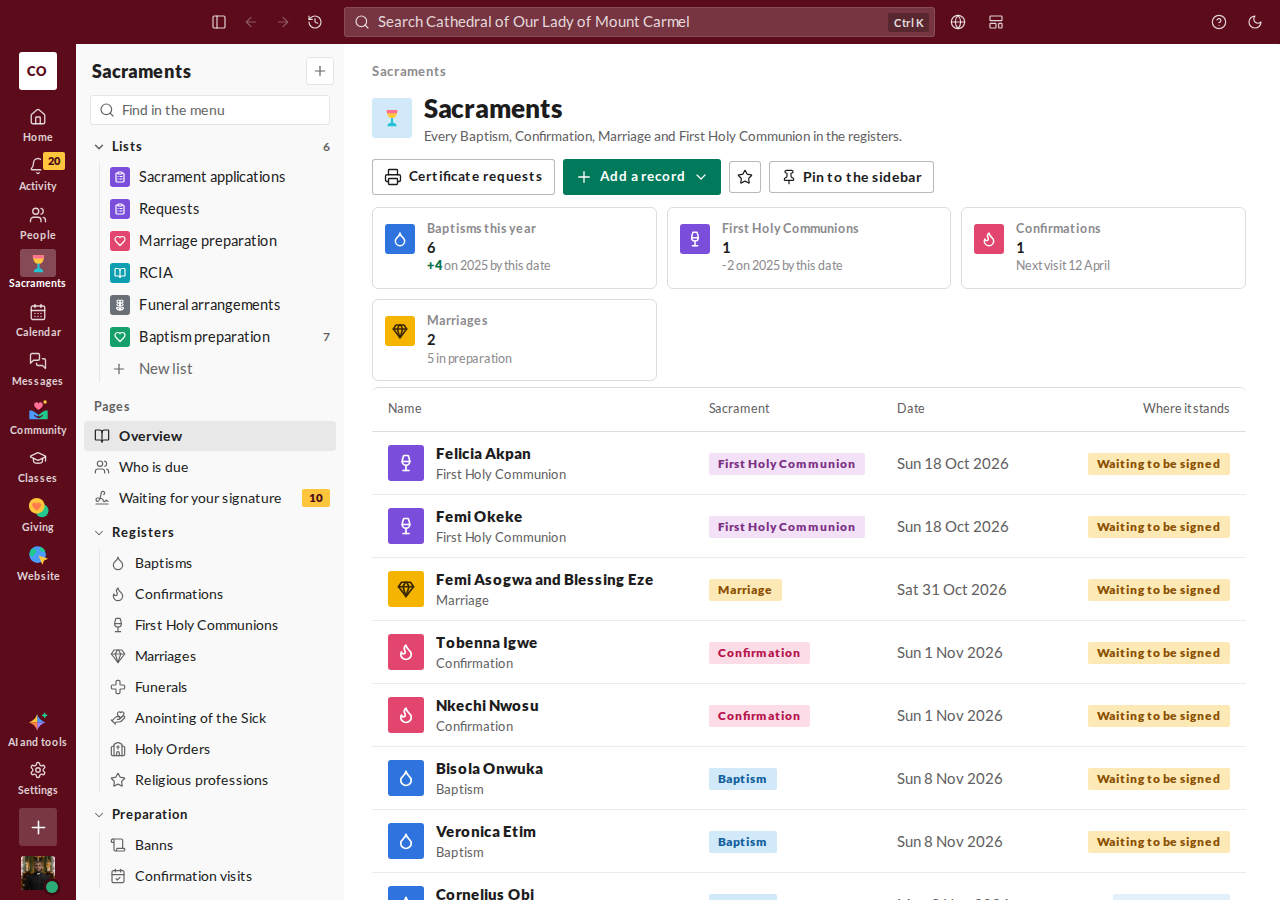
Request. Someone asks for a sacrament, and the details are collected. These arrive under Sacrament applications.
Register entry. Staff draft the entry, and the parish priest signs it. A signed entry is final.
Certificate. Once an entry is signed, you can issue a certificate from it, with nothing to retype.
Review a request
Open Sacrament applications. Each one shows who sent it, the details and any documents. Open one, use Start review, then Approve once the details and documents check out. Withdraw closes it.
Each supporting document says Received or Not yet received. A document the family uploaded counts as received. For one brought to the office on paper, use Mark received while the application is open; Not received after all undoes it.
For Baptism, Confirmation and First Holy Communion, approving makes a draft register entry for the priest to complete and sign. For the other sacraments the request is marked approved, and you draft the entry yourself.
Draft an entry
- Open Sacraments. The tabs along the top are the registers: Baptism, Confirmation, First Communion, Marriage, Anointing, Funeral, Holy Orders and Religious profession.
- Press the New button for that register, such as New Baptism record.
- Fill in the form: the person, the parents, the godparents, the place and date, and who celebrated.
- Press Save as draft. It shows as a Draft, waiting for the parish priest to sign. Typing several entries from a paper book? Save and type the next saves this one and opens a fresh form, keeping the minister and the place.
A parish secretary or an assistant parish priest can fill in a draft over several days. Old entries kept in a spreadsheet can come in all at once: see Bringing in old sacrament records from a spreadsheet. A draft started by mistake can be thrown away with Discard this draft.
Sign it
The parish priest opens the draft and presses Sign and finalise. Until then, the page says the draft is waiting for the priest to sign. On the Sacraments page, the Awaiting your signature tile counts what's waiting for you. Once signed, the entry shows Signed and sits in the permanent register.
Issue the certificate
Open a signed entry. In the Certificates panel, press Issue certificate. It's made on your parish's letterhead. Need a second copy later? Press Issue a new certificate. The panel lists every certificate issued, with its date. Staff with the right role can revoke one.
Correct a signed entry
A signed entry is never edited. To correct it, open it and use Record a correction in the Corrections panel. Choose what to correct, give the right value and the reason, and press Sign the correction. The original entry stays, and the correction is recorded with it. Only a priest who signs entries can do this.
A good habit
Many parishes let the secretary take requests and draft entries, and keep signing for the parish priest. Roles are given from Staff. See Your role and what you can do.
New to the console? There's a short guided tour of the parish tools. It starts by itself the first time you open the console, and the "Take a quick tour" button in the corner replays it whenever you like.